Lead records
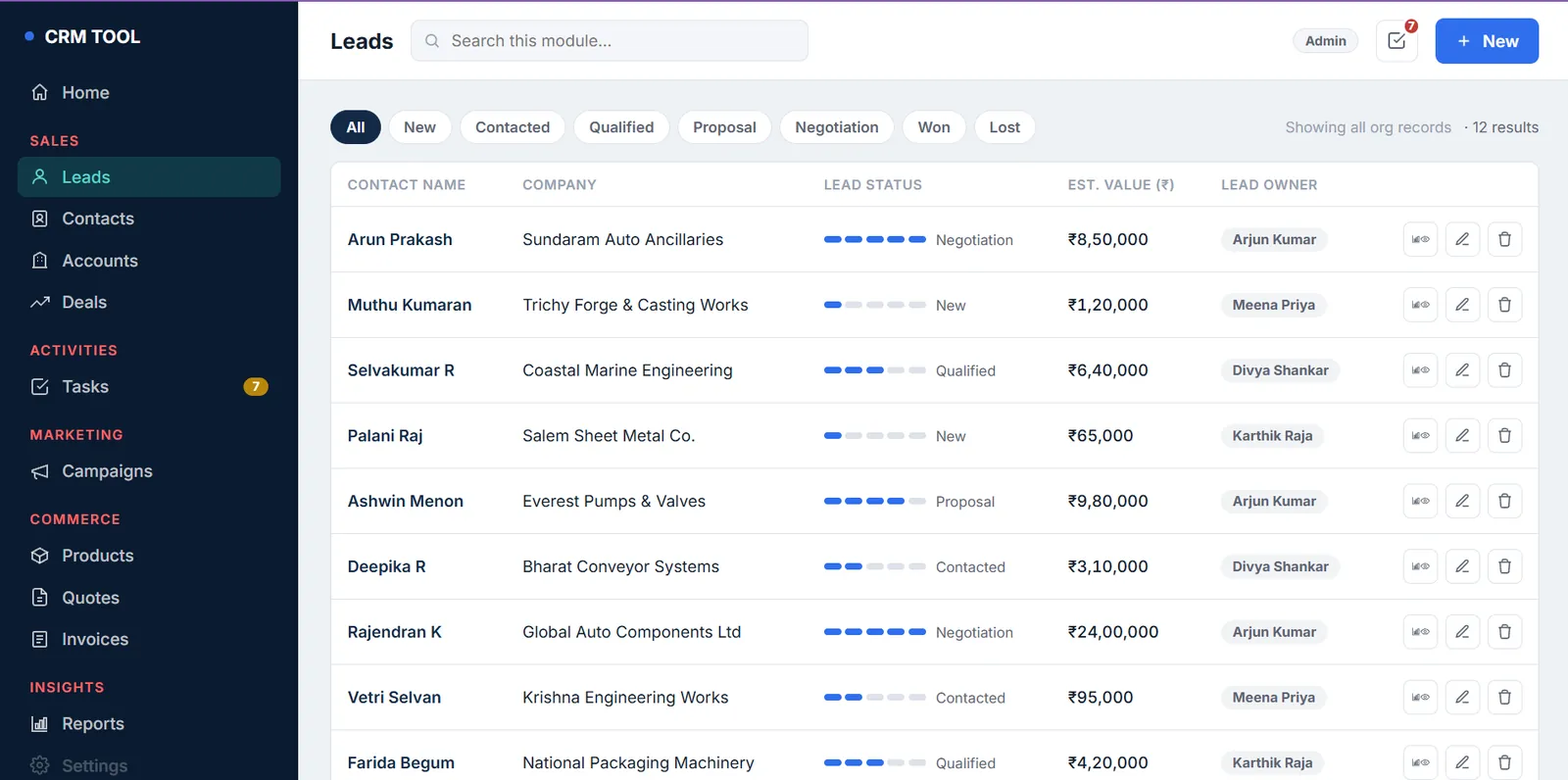
Record each lead and its details so enquiries are easier to find and review.
Manage leads, customer information, sales activities and follow-ups with a centralized CRM software solution designed to simplify your business operations.
CRM Software is a centralized system to capture leads, track your sales pipeline, manage follow-ups and keep customer and contact records in one place. It helps businesses bring their sales activities together and maintain a clear view of every enquiry from initial contact to conversion.
Our CRM is built around the day-to-day work of a sales team. For a calling-focused workflow, see our Lead Management Software, which is a separate, narrower solution than this CRM.
Record each lead and its details so enquiries are easier to find and review.
Move leads through the stages of your sales process and see where each deal stands.
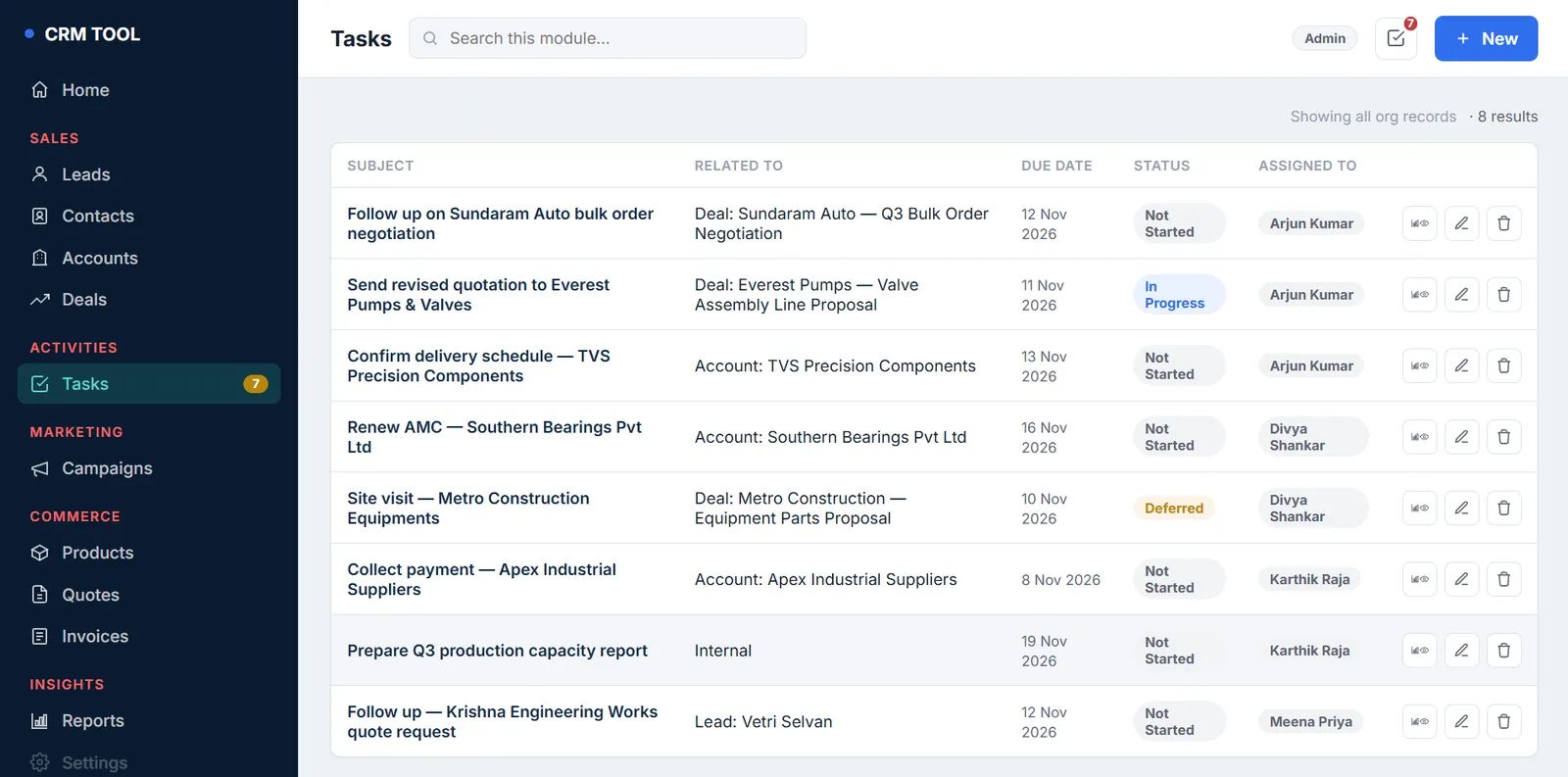
Create tasks for upcoming follow-ups so your team knows what to do next.
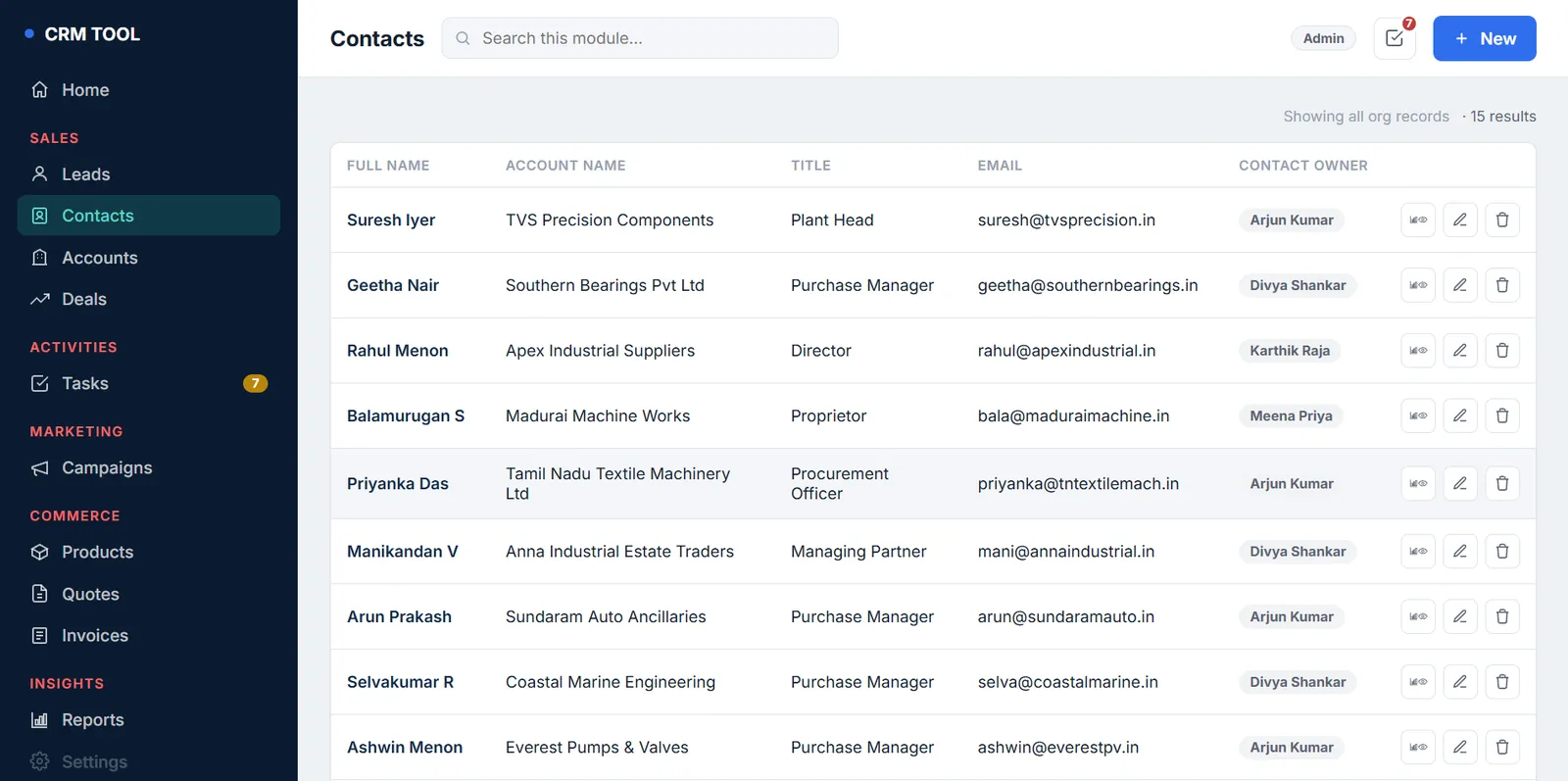
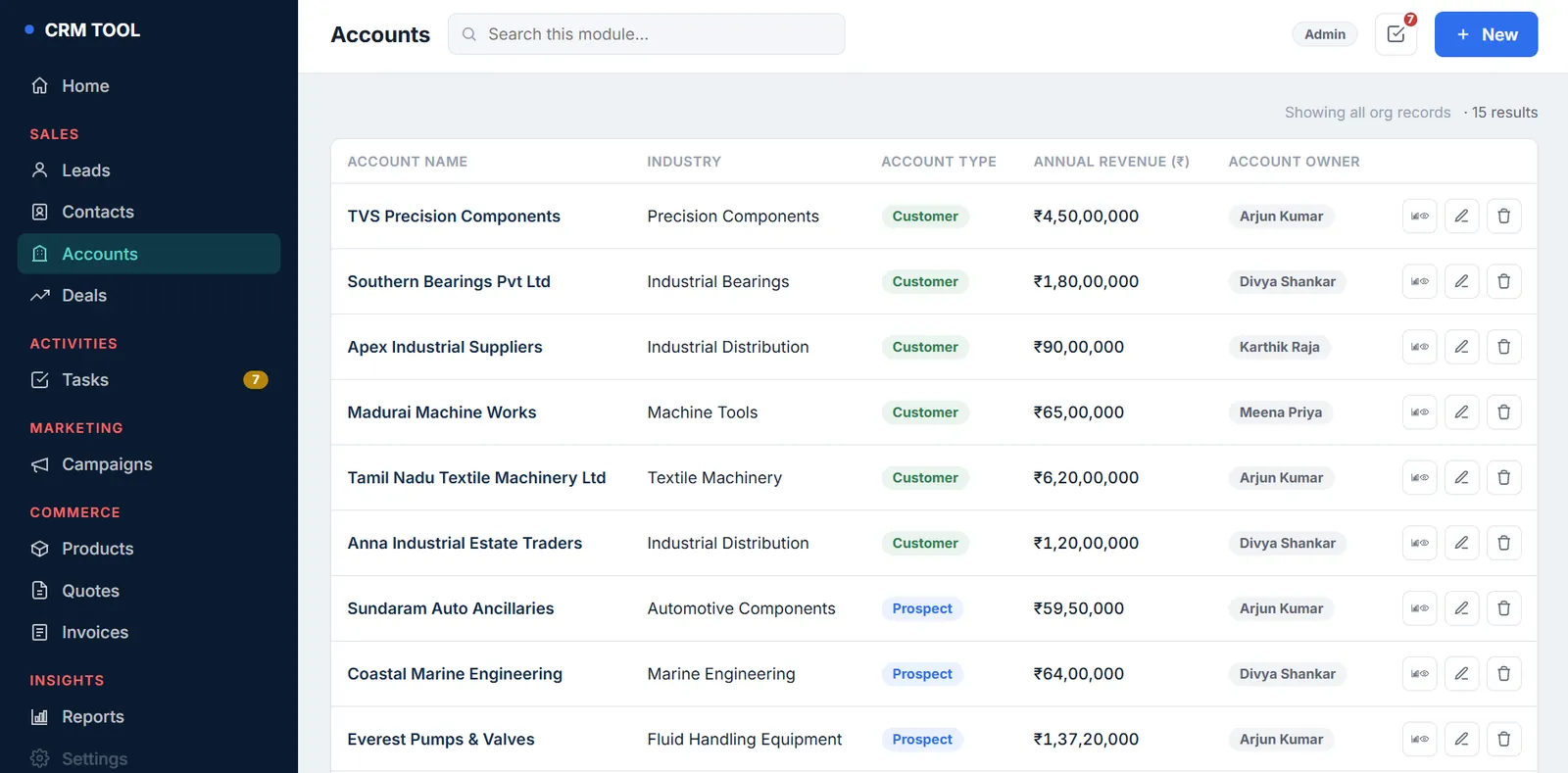
Maintain contact and account records for the customers and companies you work with.
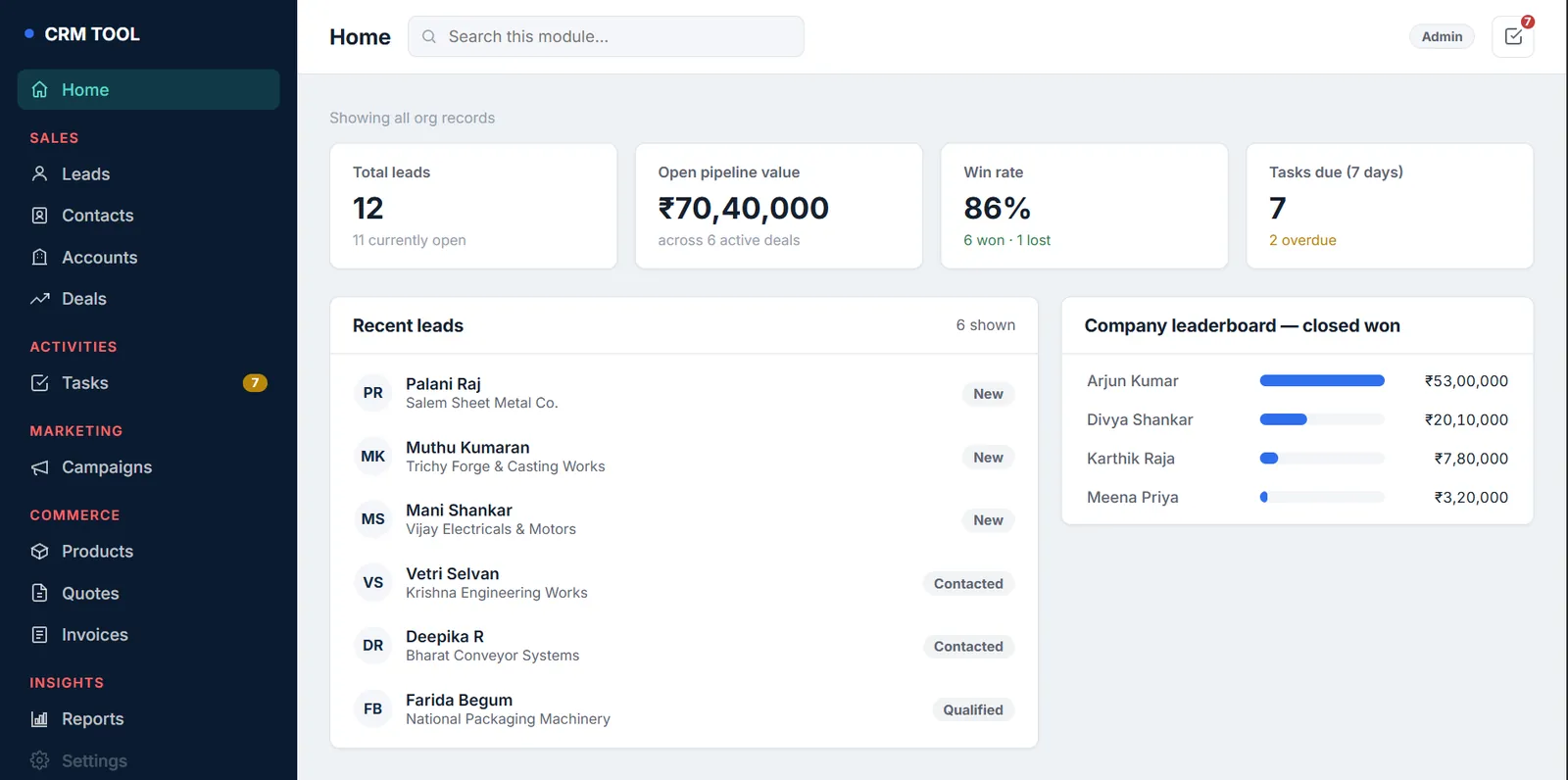
Dashboard, leads, tasks, contacts and accounts screens from our CRM.
Screenshots contain fictional demonstration data.
CRM software is useful for businesses that manage regular enquiries and need a structured way to organize leads, sales activities, follow-ups and customer records.
Keep daily enquiries organized and easier for the team to follow.
Maintain visibility across leads, sales stages and upcoming actions.
Keep customer communication and follow-up activities together.
Without a CRM, enquiries end up in spreadsheets, notes and messages, so follow-ups are missed and nobody is sure who owns which lead. A shared CRM gives the whole team one record to work from.
Starting at ₹25,000 + GST
Entry-level pricing for CRM software. Included features and suitability depend on your confirmed requirements.
Request a CRM DemoContact for Pricing
Discuss additional workflows, features and requirements with our team. Scope and inclusions are confirmed in the quotation.
Request a DemoCustom Pricing
Discuss organization-specific requirements and potential customizations. Availability and pricing are subject to assessment.
Contact SalesFinal pricing depends on your business requirements and customization needs. The displayed tiers are enquiry options, not confirmed feature bundles. User limits, included modules, setup, training, support and renewals are confirmed in your quotation.
The billing basis is confirmed in your quotation based on your requirements.
Setup and training scope, availability and any associated charges are confirmed before purchase.
Support coverage, renewal terms and applicable charges are confirmed in the quotation.
When enquiries arrive through calls, campaigns and referrals, a sales team needs one dependable record of each customer conversation. LYZOO can map your enquiry sources, define deal stages and organize ownership so teams know what to do next.
A new enquiry is saved as a lead with its estimated value and owner. A follow-up task with a due date is linked to it, and the lead moves through its stages from New to Won or Lost as the conversation progresses. The dashboard then shows pipeline value and tasks due.
We first review how your team receives and qualifies enquiries. Next we define customer fields, pipeline stages, user permissions and follow-up rules. After configuration and testing, the team can review real cases before wider adoption.
How many people will use the system? Which enquiry channels matter? What reporting does management need? These answers help determine whether a straightforward setup or a more tailored CRM workflow is appropriate.
Tell us how enquiries reach your team today and which stages you track. Contact LYZOO Technologies to discuss a suitable CRM scope.
Answers to common questions businesses may have before getting started with CRM software.
Yes. The CRM can be configured around your business requirements, sales process and customer management workflow.
Lead records with status, estimated value and owner; follow-up tasks with due date, status and assignee; contacts with account, job title and email; and accounts with industry, account type and annual revenue (see the demo screenshots above).
Pricing is based on your business requirements, workflow, and customization needs. The final cost may vary depending on the features and level of customization required.
Lead Management is a narrower, calling-focused tool for recording leads, scheduling follow-ups and tracking call outcomes. The CRM also covers deal stages, contacts and accounts across the wider sales process.
Contact Lyzoo Technologies to discuss your business requirements and CRM workflow.
Tell us where your business is today. We'll help define what to build next.