Sales
Record and review sales activity in the sales module.
Manage sales, inventory, purchase, finance and business operations through an ERP software solution built around your business requirements.
ERP software connects your sales, inventory, purchase, finance and operations into a single platform with separate modules for each function, so your team can work in one system instead of several separate tools. Custom modules can be added based on your industry and department structure.
Each ERP module is described below. How data is shared between modules is scoped per project and confirmed during requirements discussion.
Record and review sales activity in the sales module.
Manage purchase records and purchasing activity.
Manage finance and accounting information.
View and manage stock and inventory records.
Sales, purchase management, finance and accounting, and inventory screens from our ERP.
Screenshots contain fictional demonstration data.
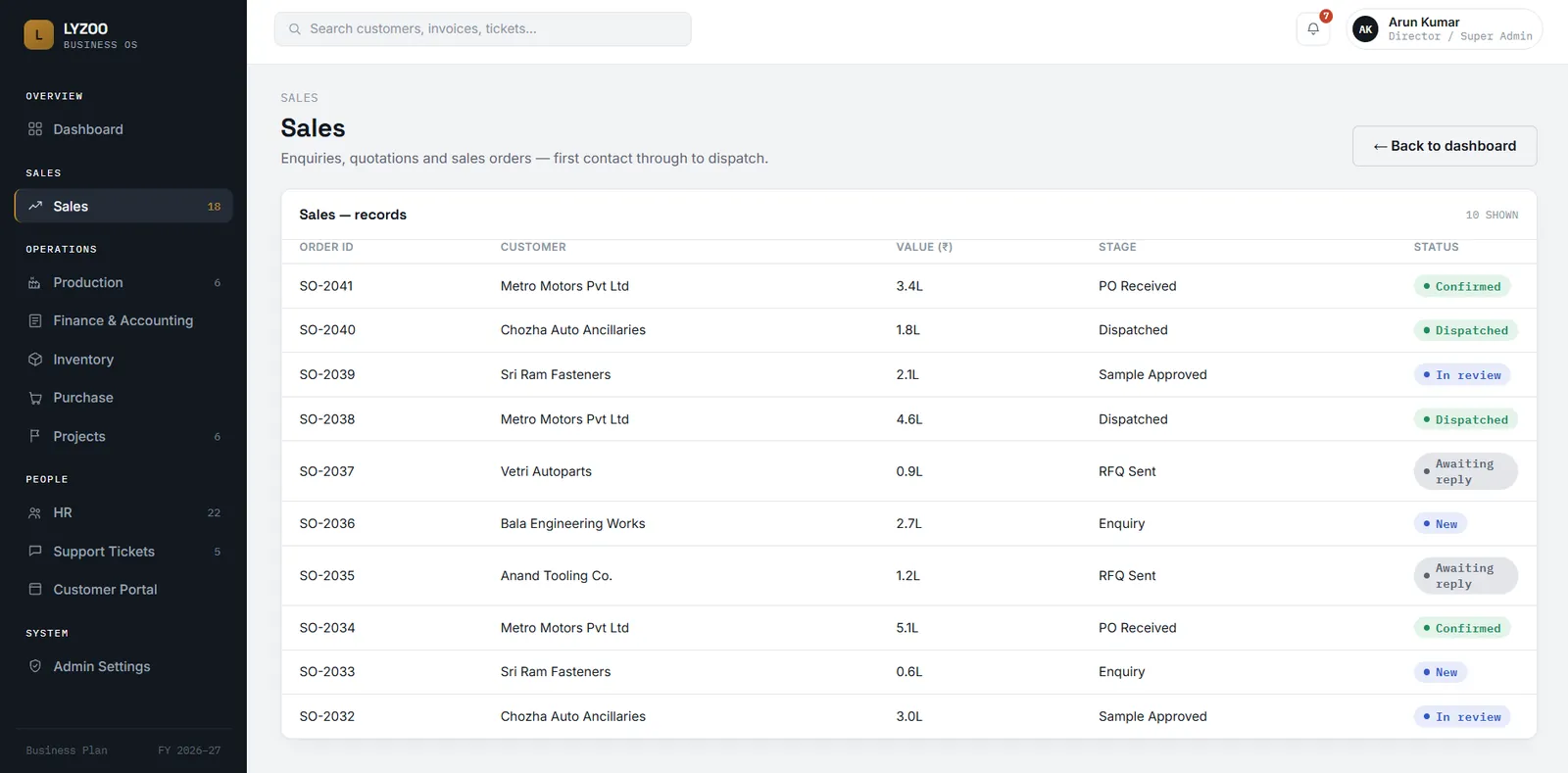
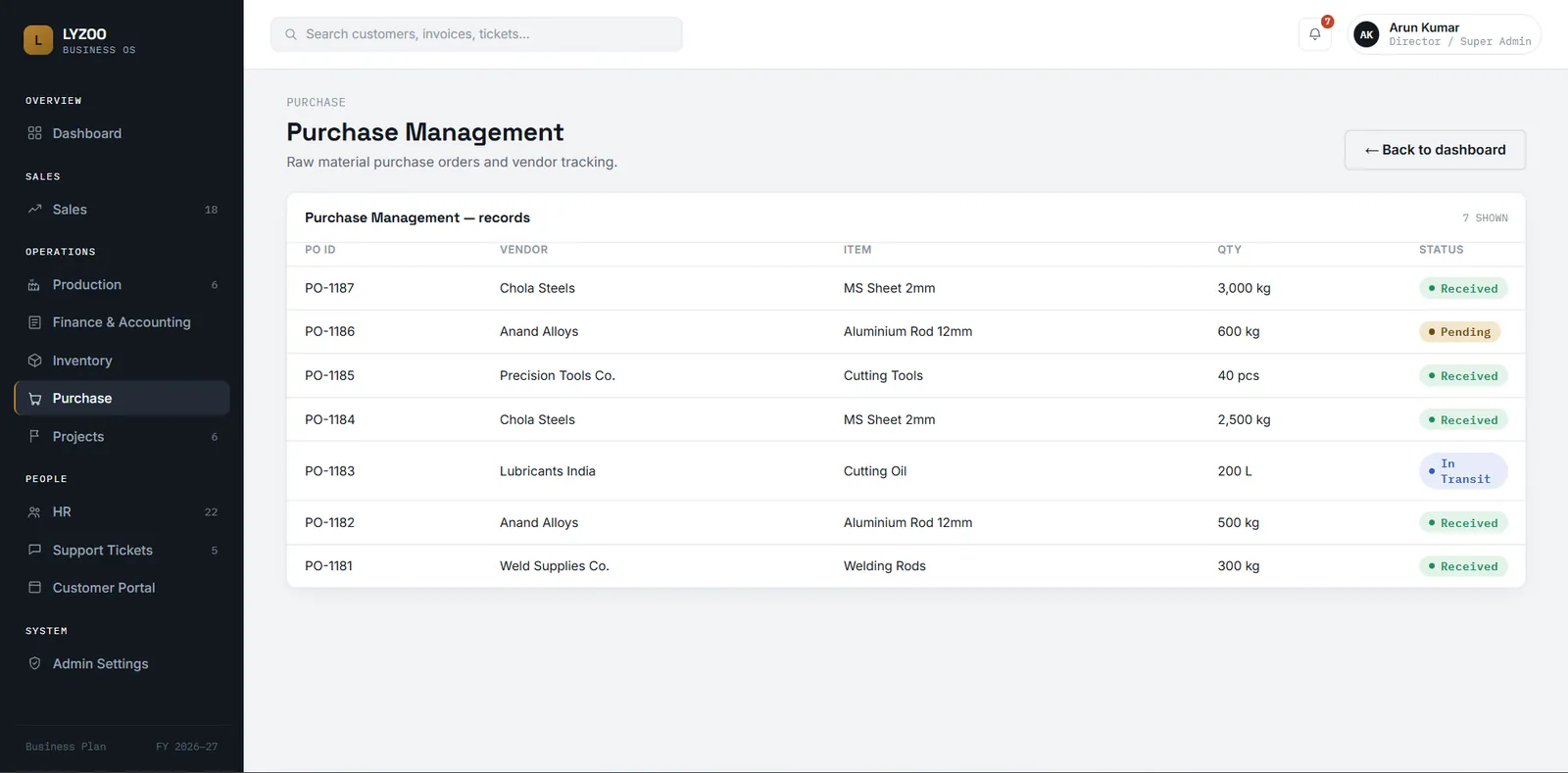
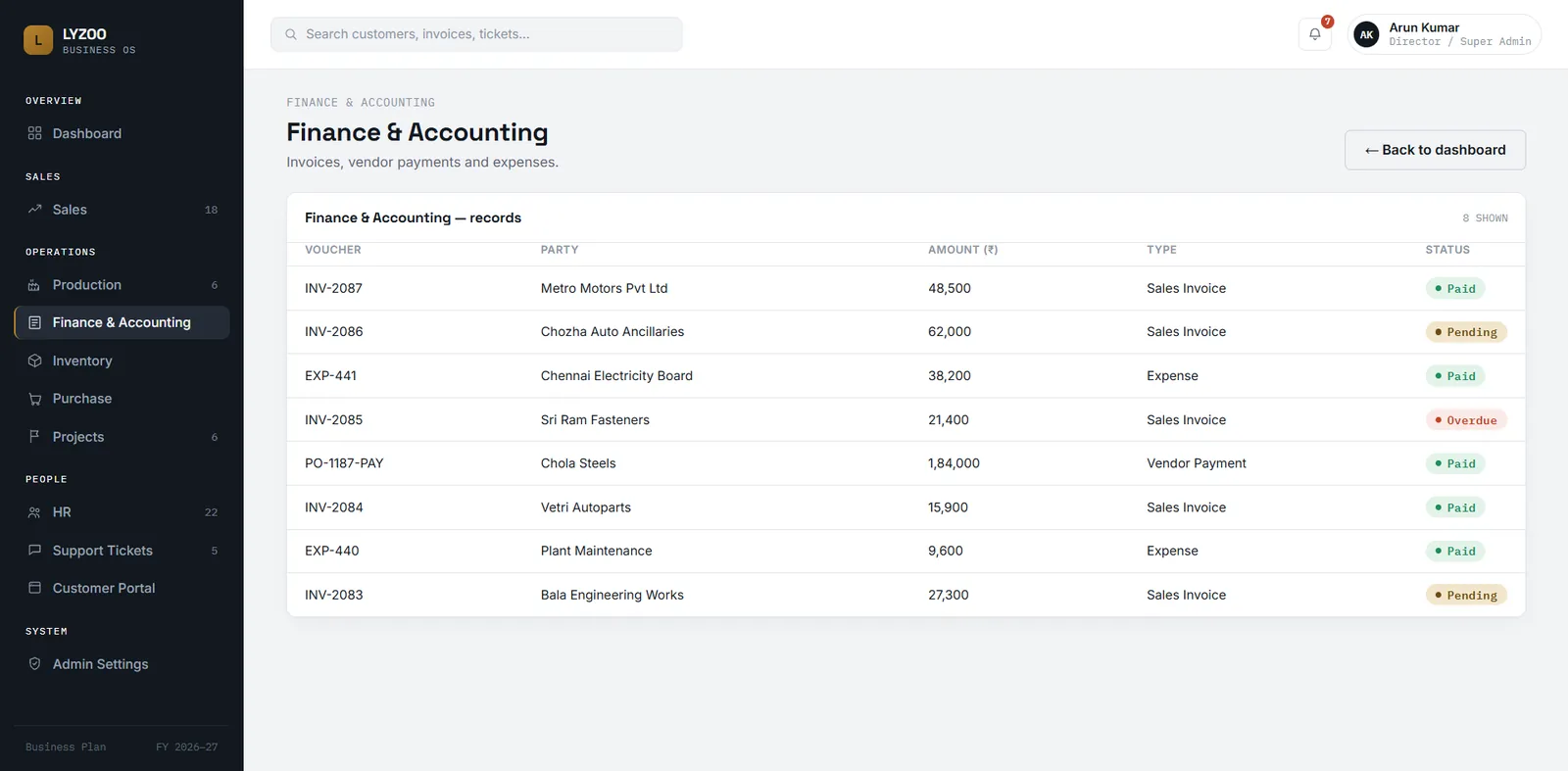
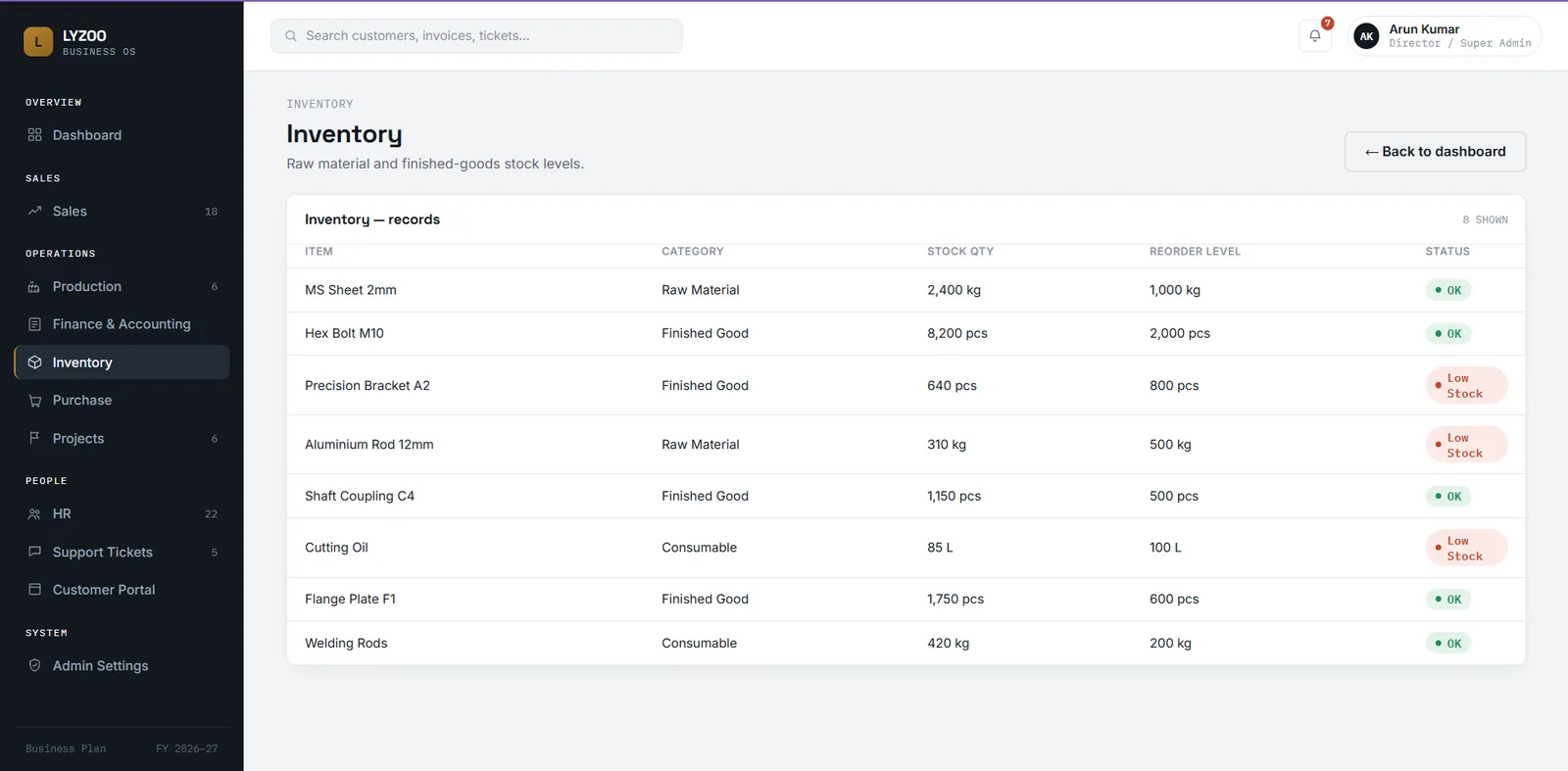
ERP software is suitable for businesses that need different departments and workflows to manage their sales, purchase, finance and inventory records in one platform. It can be configured around your industry and department structure based on your requirements.
Sales, purchase, finance and inventory teams often keep separate spreadsheets or tools. An ERP keeps the records for each function in one system, so management reviews the same set of records.
Starting at ₹50,000 + GST
Entry-level pricing for ERP software. Included features and suitability depend on your confirmed requirements.
Discuss ERP RequirementsContact for Pricing
Discuss additional workflows, features and requirements with our team. Scope and inclusions are confirmed in the quotation.
Request a DemoCustom Pricing
Discuss organization-specific requirements and potential customizations. Availability and pricing are subject to assessment.
Contact SalesStarting price. Final pricing based on requirements. GST extra. The displayed tiers are enquiry options, not confirmed feature bundles. User limits, included modules, setup, training, support and renewals are confirmed in your quotation.
The billing basis is confirmed in your quotation based on your requirements.
Setup and training scope, availability and any associated charges are confirmed before purchase.
Support coverage, renewal terms and applicable charges are confirmed in the quotation.
ERP projects bring records from different functions into one system. For growing Chennai businesses, the first step is to identify which departments are in scope and where duplicate entry creates delays.
List where your staff enter the same figures in more than one place, and which function creates the most rework. Those points usually decide whether sales, purchase, finance or inventory is set up first.
Begin with process discovery and a prioritized module list. Define master data, permissions and approval paths; then validate your key business processes in the selected modules before expanding the rollout.
Which departments are in scope? What systems already exist? Which reports are essential? Inventory, finance and third-party integrations should be treated as scoped requirements, not assumed standard features.
Tell us which departments and records you want in scope. Contact LYZOO Technologies to discuss a suitable ERP scope.
Common questions about ERP software and our ERP solutions.
ERP software connects business functions such as sales, inventory, purchase, finance and operations through one platform.
The demo screenshots show Sales, Purchase management, Finance and accounting, and Inventory modules.
ERP software starts at ₹50,000 + GST. Final pricing is based on the business requirements and modules needed.
Yes. Custom modules can be added based on your industry and department structure.
How data is shared between modules is scoped per project and confirmed during requirements discussion.
Contact Lyzoo Technologies for a free consultation to discuss your ERP requirements and business workflows.
Talk to Lyzoo Technologies for a free consultation about your ERP requirements and business workflows.